•
AWS
YAML-driven task automation for VS Code — define shell commands and multi-step workflows, schedule them with cron, and track every run from a built-in sidebar panel.VSFlow reads a vsflow.yaml file fro...
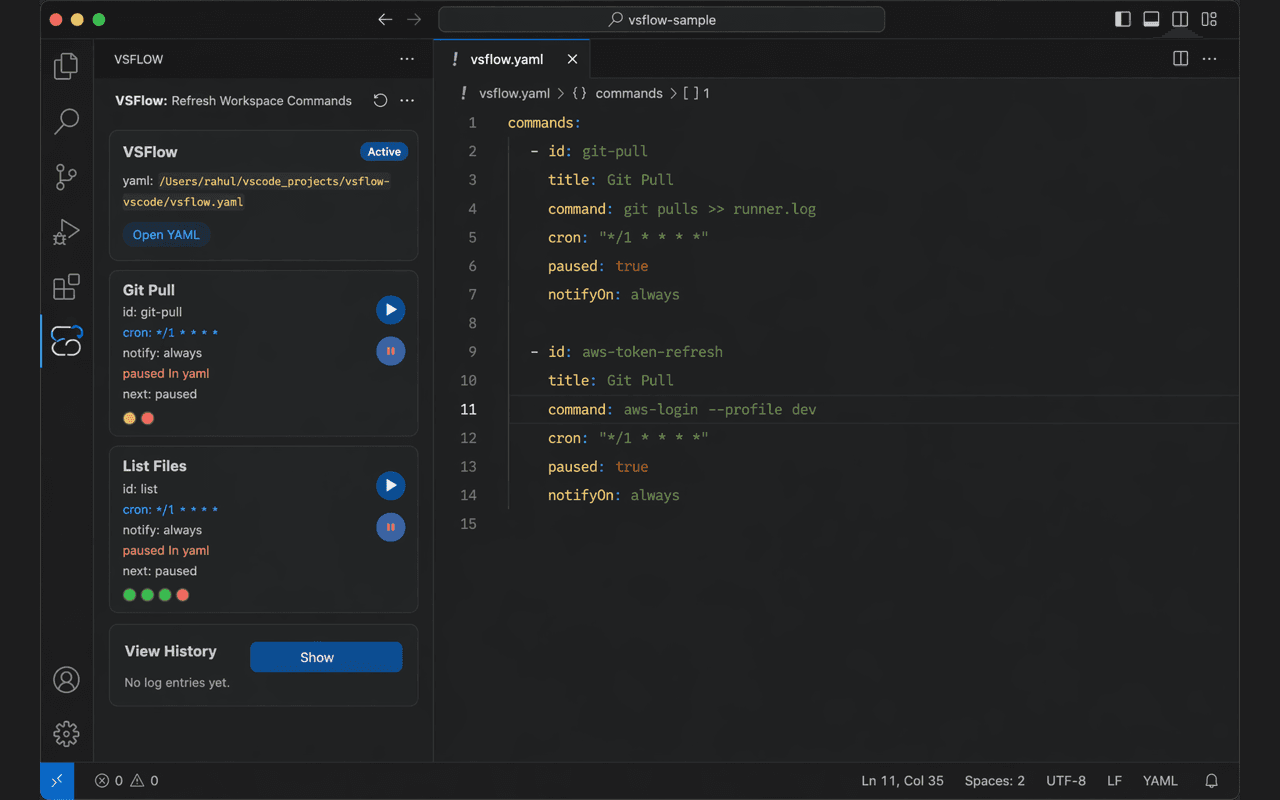
About this project
YAML-driven task automation for VS Code — define shell commands and multi-step workflows, schedule them with cron, and track every run from a built-in sidebar panel.
VSFlow reads a vsflow.yaml file from your workspace root.
Features
YAML-first config — everything lives in a vsflow.yaml file at your workspace root; no GUI setup needed.
Workflows — compose shell steps in sequence or parallel modes, with unlimited nesting.
Cron scheduling — attach any 5-field cron expression to a command and VSFlow fires it automatically inside VS Code.
On-save triggers — attach a glob pattern via onSave and the command fires whenever a matching file is saved.
Per-command pause — suspend a scheduled/on-save command without deleting its trigger; paused state persists back into your YAML.
Global scheduler toggle — one click pauses every scheduled command from the sidebar.
Run history — every execution appends a JSONL line to runner-history.log with status, stdout/stderr, and timestamp.
Configurable notifications — choose always, failure, success, or never per command.
Zero runtime dependencies — pure TypeScript with a hand-written YAML parser; nothing to install beyond VS Code.